Keyboard and Input
Overlap Areas
Overlap Areas on Structured Input
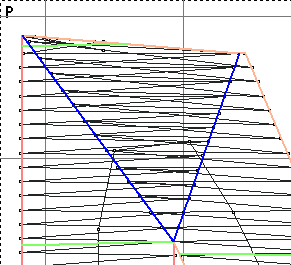
To handle overlap areas on Structured input. Basepac has a unique feature. It allows you to select a cut line, and tell the software to overlap stitches in this area. to utilize this the following must be done.
First you must use the Structured Input to create your object.Second you must apply two cut lines in it.

The cut lines must be close/touching in one area.
Then apply your angle lines. Once this is complete you can exit insert/overwrite mode. Select one cut line and the Create Overlapping Region option becomes available.
This applies the overlapping region to the area.